What a Smart Garage Door Opener Actually Does
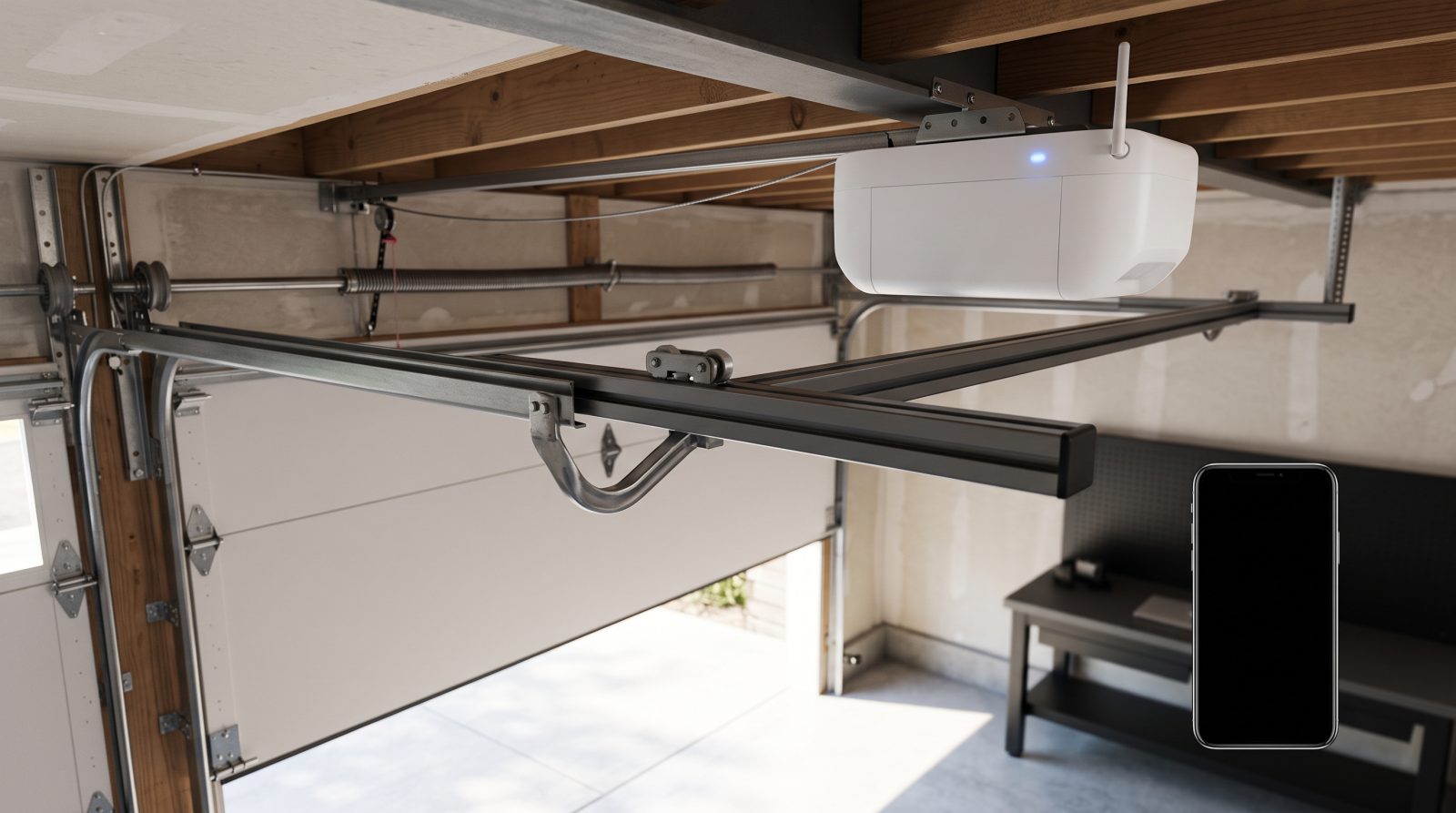
At its core, a "smart" garage door opener is a standard opener with internet connectivity added. A small Wi-Fi radio inside the opener (or inside a separate add-on hub) connects to your home network, which connects to the manufacturer's app on your phone. When you tap "open" in the app, the command travels from your phone, through the internet, to the opener, which then runs the motor exactly as a wall button or remote would. The mechanical job of lifting the door has not changed at all; what is new is the layer of remote control and monitoring sitting on top of it.
The most genuinely useful capabilities are the everyday ones. You get real-time status: the app shows whether the door is open or closed, which ends the classic "did I leave the garage open?" anxiety on the drive to work. You get notifications when the door opens, closes, or has been left open past a time you set. You can open the door remotely for a family member, contractor, or delivery, and you can review a basic activity history showing when the door moved and, on some systems, which user or remote triggered it.
Beyond the basics, smart openers integrate with broader smart-home platforms and with cameras, motion sensors, and lighting. Many can trigger the garage lights when the door opens, work alongside a connected camera so you can see the doorway, and connect to voice assistants for hands-free control. The depth of integration varies a lot by brand and by which assistant you use, which is why it pays to confirm compatibility before you buy rather than after.
- Remote open and close from anywhere with a phone signal
- Live open/closed status so you never have to guess
- Alerts for left-open doors and after-hours activity
- Guest and temporary access without handing out remotes or codes
- Activity history showing recent door events
- Integration with cameras, lights, voice assistants, and smart-home apps
Built-In Smart Openers vs. Retrofit Controllers
There are two paths to a connected garage, and the right one depends on the age and condition of your current opener. The first is a brand-new opener with Wi-Fi built in. These ship from the factory with the radio and app support integrated, so setup is usually the smoothest and the feature set is the most complete. If your existing opener is more than roughly 15 years old, getting noisy, or lacking modern safety sensors, replacing it with a built-in smart unit often makes more sense than bolting technology onto aging hardware.
The second path is a retrofit smart controller: a small add-on device that wires into the terminals of your existing opener and adds Wi-Fi control without replacing the motor. If your current opener is in good shape and you mostly want app control and alerts, a retrofit can be a cost-effective upgrade. The important catch is compatibility. Retrofit controllers work with many openers but not all of them, and some require a separate door-position sensor so the controller knows whether the door is actually open or closed. Very old openers that lack modern safety reversing sensors may not be safe candidates for remote operation at all, because you should never be able to close a door remotely that can't reliably detect an obstruction.
A quick way to think about it: if you're already considering a replacement for noise, reliability, or safety reasons, buy a built-in smart opener and get connectivity as part of the deal. If your opener is healthy and recent, a retrofit controller is often the smarter spend. When you're unsure which camp your opener falls into, that's a good moment to have a technician confirm the model, its safety sensors, and its compatibility before you order anything.
- Built-in smart opener: best when replacing an old, loud, or unsafe unit; most complete features
- Retrofit controller: best when your existing opener is recent and in good shape
- Check whether a retrofit needs a separate door-position sensor
- Never enable remote closing on an opener without working safety reversing sensors
- When in doubt, confirm the opener model and compatibility before buying
Features Worth Paying For (and Ones to Skip)
Not every advertised feature earns its keep. The features that genuinely improve daily life are reliable notifications, accurate real-time status, and solid guest access. Notifications are only useful if they're dependable, so look for systems known for stable alerts rather than ones with a reputation for missed or delayed pings. Guest access matters if you regularly let in housekeepers, dog walkers, or family; the ability to grant time-limited access and revoke it later is far safer than handing out a physical remote or sharing your wall keypad code.
Battery backup is one of the most valuable add-ons for Bay Area homes specifically. The region sees Public Safety Power Shutoffs and storm-season outages, and a garage door is the only way in and out of many homes. An opener with integrated battery backup will still cycle the door during a power outage, and California has required battery backup on newly installed residential openers for several years, so any new built-in opener you buy should include it. If you keep an older opener, know where the manual release cord is and how to use it during an outage.
Some features are nicer in marketing than in practice. Built-in cameras on the opener can be useful but are often better served by a dedicated camera you place where you actually want the view. Color-changing lights and novelty features rarely justify a price premium. And be realistic about voice control: it's convenient for opening, but most platforms intentionally require an extra PIN or confirmation to close or open the door by voice for security reasons, which is the correct behavior even if it feels like an extra step.
- Prioritize: dependable notifications, accurate status, time-limited guest access
- Battery backup is genuinely valuable given Bay Area power shutoffs and outages
- New California residential openers must include battery backup
- A dedicated camera usually beats a camera built into the opener
- Treat voice-control "open" as convenient and voice "close" as security-gated by design
Wi-Fi, Security, and the Real-World Bay Area Garage
A smart opener is only as reliable as the Wi-Fi reaching it, and garages are notoriously bad for signal. Detached garages, thick stucco or masonry walls, and the metal of the door and springs all weaken coverage. Many Bay Area homes — from older Oakland and Berkeley bungalows to newer Peninsula and South Bay builds — put the garage at the far edge of the router's range. Before assuming app control will be flawless, check the actual signal strength at the opener. If it's weak, a mesh node, a Wi-Fi extender, or an access point in or near the garage usually solves it, and that's worth sorting out before installation rather than after.
Security deserves real attention because you're connecting a physical entry point to the internet. Use a strong, unique password on the opener's app account and turn on two-factor authentication if the brand offers it. Keep the app and the opener's firmware updated, since manufacturers patch vulnerabilities over time. Be deliberate about who has access: remove old users when a housekeeper or tenant moves on, and prefer time-limited guest links over permanently shared logins. Modern openers also use rolling-code technology that changes the signal each time, which protects against the simple code-grabbing attacks that plagued older fixed-code remotes.
It's also worth thinking through what happens when the internet goes down. A good smart setup still works locally: your wall button, your in-car remote, and your keypad should all function normally even with no internet, because those don't depend on the cloud. The app features — remote open, notifications, history — are what pause during an outage. Knowing this distinction keeps expectations realistic and reinforces why you should never rely solely on your phone to get into your home.
- Test Wi-Fi signal at the opener before installing; garages often have weak coverage
- Mesh nodes or an access point in the garage usually fix dead spots
- Use a strong unique password and enable two-factor authentication
- Keep the app and opener firmware updated and remove stale users
- Rolling-code technology protects against old-style remote code theft
- Wall button, car remote, and keypad still work even when the internet is down
How to Choose and Set Up the Right System
Start by being honest about why you want a smart opener. If the goal is simply to stop wondering whether you left the door open and to let in the occasional delivery, a retrofit controller on a healthy existing opener may be all you need. If you want quiet operation, battery backup, and the most seamless app and smart-home experience, a new built-in smart opener is the better long-term choice. Matching the solution to the actual goal prevents both overspending and disappointment.
Next, confirm the practical fit. Identify your current opener's brand and model, whether it has working safety reversing sensors, and whether your target controller or smart-home platform supports it. Check the Wi-Fi situation in the garage. Consider drive type if you're replacing the unit — belt-drive openers run noticeably quieter than chain-drive, which matters for the many Bay Area homes with living space or bedrooms directly above the garage. And factor in your door's weight and balance, because a properly balanced door lets any opener, smart or not, run longer and more reliably.
On cost, treat any number as a typical industry estimate that varies, not a fixed quote, because the real price depends on whether you're retrofitting or replacing, the opener model and features, your garage's wiring and Wi-Fi, and the condition of the door itself. As a rough guide, retrofit smart controllers tend to sit at the lower end, while a full smart-opener replacement with installation lands higher; your actual figure can vary meaningfully based on scope. Because we're a mobile, we-come-to-you service across the Bay Area, the most reliable way to know what your home needs is to have a technician evaluate your existing opener, door balance, and Wi-Fi on site, then recommend the cleanest path. If you're ready to add smart control or replace an aging opener, call for a free estimate and we'll come to you.
- Match the solution to the goal: retrofit for basic control, new opener for full features
- Confirm opener model, safety sensors, and platform compatibility before buying
- Belt-drive openers are much quieter — ideal when there's living space above the garage
- A balanced, well-maintained door helps any opener last longer
- Treat all pricing as an estimate that varies by scope, equipment, and home